Background
In April 2023, I wrote about my progress converting Super Star Trek to SwiftUI. My starting point was the BASIC listing published in David Ahl’s BASIC Computer Games. Here’s what the main screen looked like then, and how it looks now.
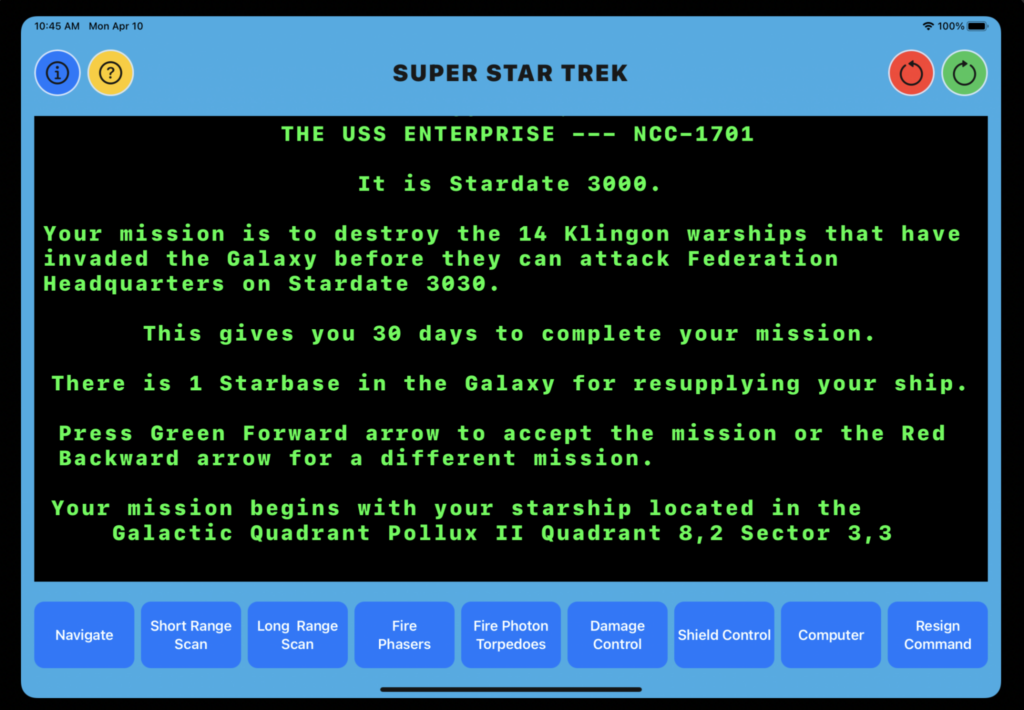
In the 2023 version, the buttons at the top relied on icons, so it was harder to tell what each one did. The main screen is square and the text is quite plain.
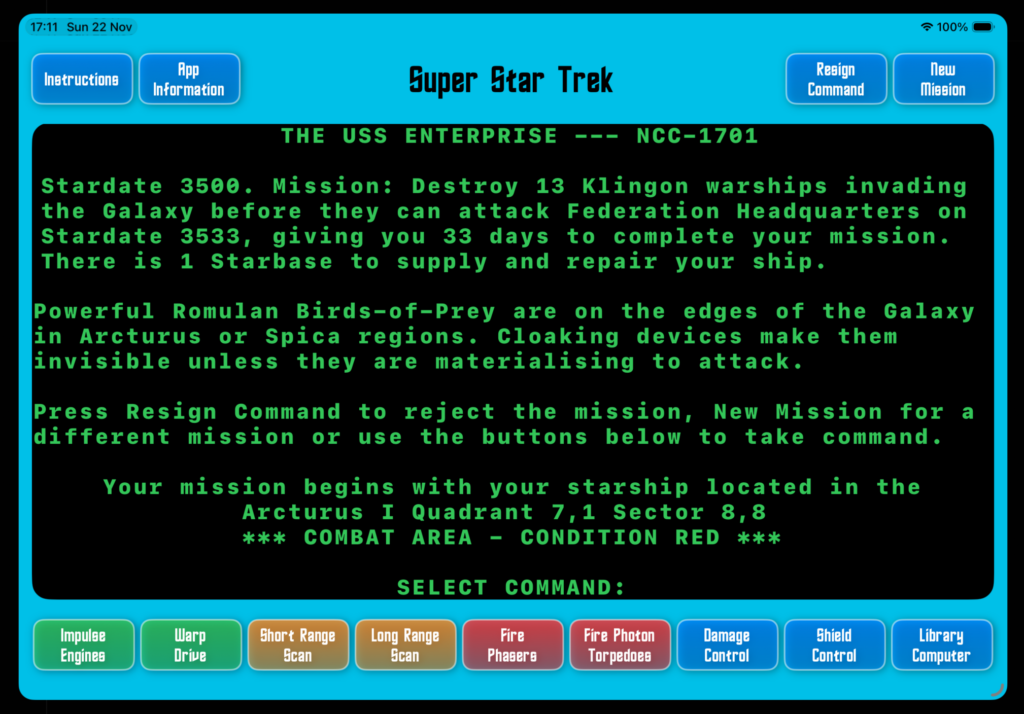
In this more up-to-date version, the command buttons are more explicit and use a special Star Trek font. The command buttons at the bottom are colour-coded and arranged in logical groups. This mission includes Romulan warships, which I added to the game.
Since then, I’ve written a few apps, mainly for my own use, but none of them have been submitted to the App Store. I’ve also started the conversion of another BASIC program, The Valley, an adventure game from the 1980s. A third BASIC program, The White Barrows, is at a very early stage.
The Valley is a much bigger program and while making some progress based on what I learned from converting Super Star Trek, the introduction of AI tools, specifically ChatGPT, has made progress easier.
Learning to code
Along the way, I have learned a lot, not just about SwiftUI but about how to translate BASIC code into SwiftUI.
As Stewart Lynch argued in his talk The Myth of the Self-Taught iOS Developer at Swift Rockies 2026, I haven’t taught myself to code in SwiftUI, and I doubt if anyone could seriously say they had no outside help coding in SwiftUI.
In my case, the first source of help I directed myself to was at www.raywenderlich.com (now Kodeco) where I used the lessons there to start my coding journey.
It’s only a few years ago, but back then you entered a search term and got back a list of web pages and websites that matched the search terms and little more. It was up to you to check out each link to find out how much it met your needs.
At some point, I discovered Paul Hudson’s Hacking with Swift and the totally free 100 Days of SwiftUI.
I’m not sure how, from there, I found Stewart Lynch at CreaTECH Solutions and his marvellous collection of over 450 YouTube videos plus helpful blog posts.
The help from these three real intelligence learning resources are ones that I continue to use today.
I’m retired and probably older than most of the people using these resources. I also have severe hearing loss, so how a tutorial is presented matters to me. I look for videos that are carefully prepared, with speech I can follow easily and closed captions. Even automatically generated captions help.
Code conversion
One thing I have learnt along the way is that converting BASIC into SwiftUI isn’t easy. The BASIC programs I’ve chosen to convert date from an era when programmers had only a few kilobytes of memory to work with. Some Commodore PET models had just 8 KB of RAM. The iPad Air I use today has 8 GB, roughly a million times as much.
Those old memory restrictions meant programmers used a few tricks to make full use of the available memory. A common trick, used in The Valley which was originally developed for the Commodore PET, was to write characters to be displayed directly to the screen memory addresses.
Converting such a game to SwiftUI therefore often depends on knowing technical details for machines that are now nearly fifty years old. Add to that the many different BASIC language dialects, often peculiar to the computer the games were originally written for.
The BASIC listings I’m working from are built around numbered lines. To understand what the game does, I often have to follow a trail of jumps from one part of the listing to another. In my Swift version, I can put the game logic into named functions and use SwiftUI to describe what the player sees. Converting the game means working out what the old code does and deciding how to express that behaviour in Swift.
BASIC programs mix game logic, user interaction and screen display, often in the same line or lines of code. One of the first tasks in analysing BASIC code is to separate game logic from the user interface. The game logic can be tested in Swift and the user interaction developed later. The user interaction can then be modernised without losing the original feel of playing the game.
Using AI without losing control
Over the last year, as AI has grown, I have found that allowing AI to control what you’re doing, isn’t the best way to teach you to write good code. By definition, AI is way ahead of you and will produce code that might work but won’t teach you to write good code.
Vibe coding delegates code ownership directly to AI and agentic coding keeps you in control so it’s the latter that I prefer. I have tried agentic coding within Xcode but found this didn’t give me enough control, so I use mainly ChatGPT outside Xcode.
What I mean by finished
The 2026 version of Super Star Trek does everything the original BASIC program did and adds two more challenges – Romulan warships and occasional attacks on Starbases which now have defined energy resources and that may be depleted and weaken their defence against enemy attacks.
But the code isn’t very easy to maintain as in many places is almost a line by line conversion from the BASIC to SwiftUI.
As explained above, an approach I am trying to adopt with The Valley and The White Barrows is to disassemble the original BASIC to keep the game logic separate from the user interface.
The 2026 version of Super Star Trek does everything the original BASIC game did and adds two challenges. Romulan warships can appear during a mission, and starbases sometimes come under attack. Each starbase now has its own energy reserves. As those reserves run down, the starbase becomes harder to defend.
So now I want to recode Super Star Trek in the same way to generate a version more faithful to the original that is easier to maintain.